

AgentsWorkflowsApprovalsCopilotMCPFoundryAccess requestsTicketsSlackAnalyticsPlatform
Run an agent rule on a schedule or from a webhook
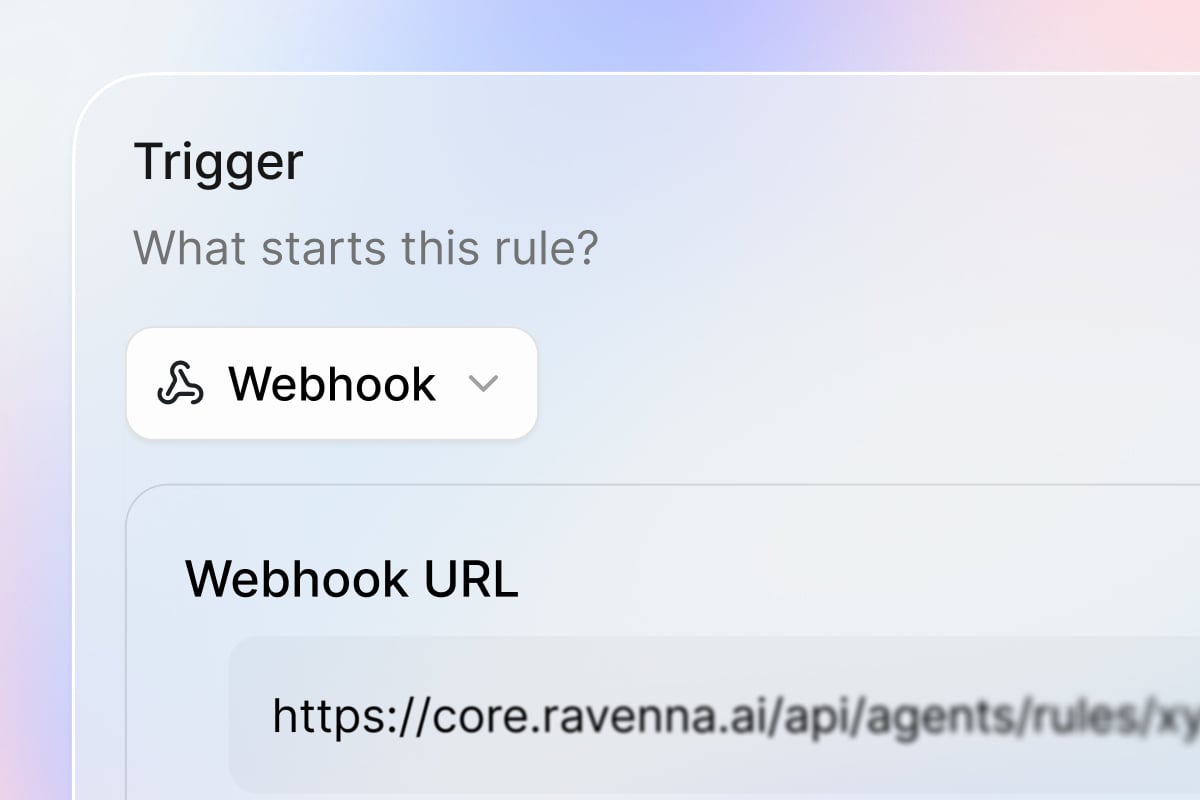
Agents ask which rule you meant
When a message fits two or more agent rules equally well, the agent asks which one you meant instead of guessing. It offers up to three options and asks at most twice. If you still do not pick one, it carries on as if no rule matched.See who approved in a workflow
The Ticket Approval trigger and the Wait for Approval action now output Approved By and Declined By, the people who approved or declined across every round. A later workflow step can thank the approvers, notify whoever declined, or record the decision somewhere else.Quality of life updates:Platform
- If Ravenna updates while you have a tab open, the tab reloads itself when you come back after a minute or more away, or when you move to another page.
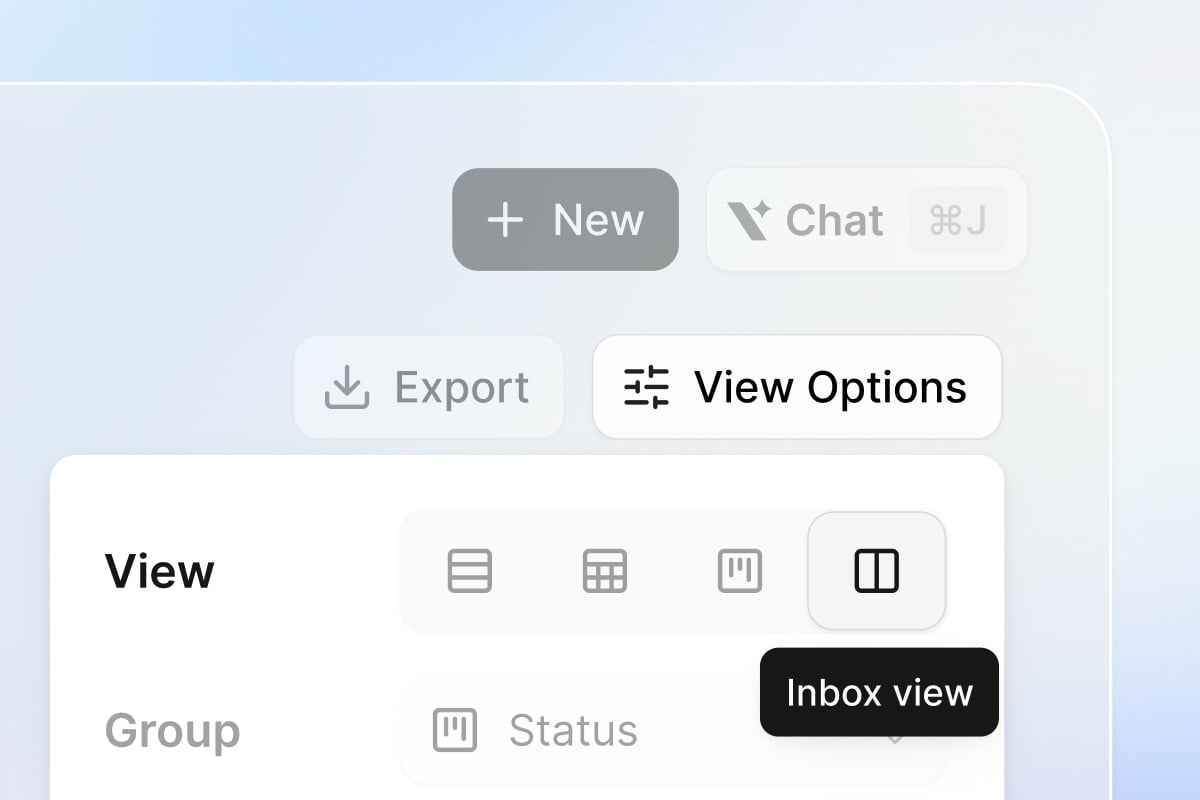
- The inbox view has a compact icon toolbar and a simpler filter popover, and next and previous ticket navigation carries on to the next page of results.
- For a longer request, Copilot can show its plan as a checklist under the message that started it and tick off steps as it reports progress. The card folds to a summary once every step is done.
- The MCP server has a Manage ticket attachments tool that lists, adds, and deletes a ticket’s files, and Get ticket by ID lists which files are attached.
update_applicationreplaces theapplication__updateMCP tool, and no AI surface can archive an application any more.
- The Loop action can iterate over a form’s multi-value custom fields (Multi-Select, User Multi-Select, Multi-Application Select, and Tag Select), so you can run steps for each value a requester picked.
- The Jamf computer info tool can look up a computer by its Jamf ID or exact name, and asks which one you mean when several match.
- The Foundry sidebar has a + in its header, a Delete action on each function row, and a Manage action on native integration rows that opens the integration’s settings without leaving Foundry.
- A Foundry action test that exits with an error shows the actual error output instead of a generic failure.
- An access policy’s durations are set as a number and a unit and read in words, like 12 Hours or 1 Month. Pick the Default Duration from a dropdown, and select Edit Options there to add, reorder, or remove what requesters can choose.
- Running Connect Enterprise Admin again on a Slack Enterprise Grid organization grants the user group permissions Ravenna needs, without disconnecting.
- Entitlements search matches the person’s name or email and the application, with each word narrowing the results, and a grouped table can flip its sort direction.
- Setting a workspace’s maximum reminders to Unlimited sticks instead of reverting to 3.
- AI Tags no longer turn stray model reasoning into workspace tags, and existing tags are kept even if their names would not pass today’s naming rules.
- When a model returns an empty result or rejects a large image, such as a phone photo, Ravenna retries on another model instead of skipping classification or tagging.
- Drilling into a one-day point on an analytics chart shows that day’s tickets only, so the count matches the bar.
- Deflection analytics no longer count an agent announcing a hand-off to your team as assistance.
- The documented API endpoint for listing a ticket’s attachments responds instead of returning 404.
- After a refresh, pages wait for sign-in to finish before loading data, and a session that cannot be renewed signs you out and brings you back to the same page.
- The Foundry connect-integration dialog and the Copilot setup card show the full OAuth callback URL instead of a relative path.
TicketsAgentsApprovalsWorkflowsSlackOktaGoogle WorkspaceAccess requestsLinearAnalyticsPortalEmailIntegrationsCopilotKnowledgeGuruFoundryPlatform
An inbox for your tickets
Agents take action in Okta and Google Workspace
An agent can now create, remove, and reset users in Okta and Google Workspace itself, including resetting MFA, suspending and restoring accounts, transferring file ownership, creating email aliases, and checking whether an email address is available. When Copilot drafts a rule that uses them, it suggests Requires confirmation for write tools and Requires approval for delete tools, and you can change either per rule.Mention a user group
Type@ and pick a user group to mention everyone in it at once. Group mentions work in ticket replies and private notes, message edits, the agent editor, and rich-text workflow fields. In Slack, a group synced from that Slack workspace gets a real group ping; everywhere else the mention shows as the group’s handle.Quality of life updates:Platform
- Organization admins can see every workspace and its members without being added first, and each workspace has an explicit Owner. See organization settings.
- A portal submission whose form does not open a ticket confirms Form submitted instead of looking like a new ticket.
- The ticket list has an Agent column and filter, so you can see and group the tickets an agent is working on before they reach a person.
- AI Tags tag a ticket when it is created and again once at resolution, when the full conversation often shows the right classification. Tags applied by rules, workflows, or people are never removed.
- Copy a ticket as Markdown from the ticket actions menu, so you can paste it into a doc or a message with formatting intact.
- The open ticket’s actions are available from the command palette, so a keyboard shortcut reaches every action on the ticket you are looking at.
- A ticket’s activity records when its type changes and when a form is removed.
- Deleting a status that still has tickets prompts you to pick a status to move them to.
- The Auto Assignee channel setting is now read-only and will be removed in a future update. Use round-robin assignment or an agent rule instead.
- Workspace admins can Force Reject an approval from the overflow menu on the ticket’s approval panel, declining the active round and skipping any later rounds in one step.
- Copilot can rotate a credential on an existing Foundry integration when you ask it to.
- Copilot can list the people in a workspace when a question calls for it.
- The Send Form action can deliver by email as well as Slack, so a workflow can ask someone outside Slack to fill out a form.
- The workflow action picker only offers Foundry actions from integrations in the current workspace.
- Connect Guru and choose exactly which collections or folders belong in a Ravenna knowledge folder, so you can point an agent at one part of Guru without pulling in the rest.
- Guru cards keep their headings, lists, tables, code blocks, callouts, collapsibles, quotes, and links when they sync. Images and attached files come across as links back to Guru, where your existing permissions apply.
- A knowledge base subfolder shows its own status and document count.
- A knowledge chat log entry links straight to the ticket that came out of the chat.
- An agent rule autosaves as you edit. A rule created from an agent’s page is attached and enabled right away, and the enable switch sits in the editor header when you open it from the agent.
- Every workspace has one Agent Runs system channel, and scheduled and webhook-triggered rule runs all land there instead of a per-rule channel picker.
- A curated Foundry provider like Anthropic pre-fills the static headers it requires, so the Connect screen verifies without you adding them.
- A Foundry OAuth token failure shows the provider’s own error message instead of a bare HTTP status.
- An application’s owner and approver fields each accept a list of users and groups.
- An access policy picks No Approval Required right in the Approvers field instead of a separate toggle.
- The entitlements table is simpler, and clicking a row opens a details drawer.
- Access level descriptions show under each option in the request form picker.
- A Foundry-provisioned application sends its post-provisioning message for user-group access levels too.
- Forward a Slack message into a connected channel and the ticket picks up the original message, its author, and its files, instead of just the wrapper message.
- A Slack agent shows is working on your request… in the thread within moments of your message, so you know it picked up the request before the reply is ready.
- The Slack DM classifier carries the message text through a clarification round and routes on the images someone attached, so a follow-up with a screenshot reaches the right agent.
- The Create integration modal opens on a provider picker with search and popular providers up top.
- The Okta Foundry bridge reports the OAuth scopes Okta actually granted, and a permission error names the scope to add.
- A Linear OAuth failure returns Linear’s own error message, so it is clear whether the code expired, the redirect URI is wrong, or the app was revoked.
- A form that has been archived no longer appears in filter pickers.
- The
@mention menu closes when you press space, so a typed word is not swallowed by the picker. - An analytics chart tool accepts every valid filter field.
- Starting a new chat in the workspace portal opens the chat instead of a blank page.
- An emoji reaction on an already-resolved ticket in a triage channel is handled instead of failing.
- A date-time ticket attribute accepts a time again, and shows the stored value at the wall clock it was saved with.
- Previous and next ticket navigation works on the ticket detail page.
- Changing the channel in the Create ticket dialog no longer wipes the title, description, or fields you already filled in.
- The ticket sidebar shows the ticket’s channel by name instead of Invalid value.
- An analytics widget’s View opens a ticket list that matches the widget.
- Publishing a Foundry action after the agent auto-fixes the code goes through instead of stalling on the previous version.
- A filter whose last value you deselect stays in place, empty, instead of removing the row.
- Clicking outside the access level editor keeps your unsaved edits.
- The ticket timeline no longer shows a priority change that was silently reverted.
- An agent treats organization members and workspace members as distinct, so a rule scoped to a workspace does not run for an organization user who is not in it.
- Reloading a ticket refetches its conversation from the server instead of showing a stale cached copy.
- Cross-workspace ticket links open the ticket in whichever workspace can view it, instead of a 404.
- A Microsoft Teams form dialog stops flashing an error while it loads, and shows a real submit failure instead of failing silently.
- A completed access request posts one message to the ticket: each application’s post-provisioning messages combined, or the approval message when there are none, instead of both.
- Provisioning a user-group access level no longer creates duplicate entitlement rows.
- A ticket email reply with a recipient wrapped in stray quotes sends instead of failing address validation.
TicketsMembersPortalAccess requestsAgentsWorkflowsCopilotFoundryRemindersEmailIntegrationsCloudflarePlatform
Everything about a member, on one page

Name approvers right on an access policy
An access policy no longer needs an approval template to decide who signs off. Pick the people, groups, or roles who should approve, and choose whether any of them or all of them have to agree before access is granted.Decide who can trigger an agent rule
An agent rule now has its own audience. Leave it open to Everyone, or limit it to specific user groups, so a rule that grants access or touches a sensitive system only runs for the people who should be able to start it.Prove a workflow request really came from Ravenna
The HTTP Request action can sign every request it sends, so the system on the other end can confirm Ravenna sent it and nobody changed it along the way. Point the signing key at a Vault credential and Ravenna signs with HMAC-SHA256, putting the signature inX-Ravenna-Signature or a header you pick.Grant a Cloudflare Access app straight from a ticket
Connect Cloudflare Access and Ravenna can add and remove people from your Zero Trust groups as a workflow step. An access request can grant an application and take it back on schedule, with nobody opening the Cloudflare dashboard.Quality of life updates:Tickets:
- Large ticket lists and boards load noticeably faster.
- Edit and delete tags directly on the tags page.
- The form picker in the workflow builder lists draft forms, so you can build the workflow before you publish the form.
- A reminder policy can follow each person’s own working hours instead of one schedule for the whole workspace. Set yours in My Settings, and a reminder addressed to you waits for your next working window.
- A channel can ignore everyone else on the thread when it is CC’d or BCC’d on incoming mail. Those people are not added as followers and are left off replies. An alias that keeps the channel out of To and CC counts as BCC.
- The portal has an organization-wide side navigation with My Tickets from every workspace you belong to, plus your recent Copilot chats. Your open requests and past conversations are in one place, whichever workspace they came from.
- Rule matching now gives up rather than hanging, with a 10-second limit per rule and 30 seconds overall, so a stuck rule cannot hold up a conversation.
- The Runs tab is always available, so you can review past runs before an agent has any rules.
- An agent posting to a Slack channel can reply inside a thread, so a follow-up lands with the original message instead of starting a new one.
- Every step in the workflow builder has an Outputs panel that breaks results like Ticket and User into individual values you can reference, so a later step can use one field without you reading raw JSON.
- The Wait for Approval action no longer has a separate On Timeout branch. It branches On Approved and On Declined. An approval that times out without a decision follows neither branch and the run ends at that step, so handle a stalled approval with a reminder policy and a Reminder Expired workflow.
- The Search Ticket and Search User actions return one result when Limit is 1 and a list when it is higher, so later steps get the shape they expect.
- Workflow run retries are available in every workspace from the runs table.
- Copilot reuses an OAuth provider your organization already registered when it sets up a Foundry integration, instead of asking for the same client credentials again, and carries on by itself once you enter them.
- Foundry recognizes an API that makes you log in first, or that wants its credentials split across several fields, and suggests the right setup. It asks for the Authorization URL and Token URL directly when it cannot find them in the API’s own documentation.
- Foundry stops hiding short values that only look like a secret, so an ID or a country code comes through as itself. When something genuinely is hidden, the result now says so.
- A Foundry native bridge and its functions share one sidebar row, so a long list of related actions no longer crowds the panel.
- A Google Workspace error when creating a user names the organizational unit Google rejected, so you can fix it without reading logs.
- Saving an integration’s settings or credentials rechecks the connection right away, so its status reflects what you just changed.
- Slack messages from bots like RSS feeds and webhooks now arrive in Slack-sourced tickets under the bot’s own name and avatar, instead of being dropped.
- A customer’s email reply threads back onto the original ticket instead of opening a new one.
- An email reply that fails to send leaves a private note on the ticket with the error and who it was meant for, instead of disappearing quietly. Replies on older tickets with malformed reply-all recipients go out again.
- The ticket editor no longer replaces a title or description you just typed with an older draft when you switch tabs mid-save.
- A bulk ticket update that fails now tells you, instead of appearing to do nothing.
- A ticket counts as unread only when a new message arrives, not just because you have never opened it, so the unread count reflects what actually changed.
- The ticket table no longer breaks on a Slack-sourced ticket whose Slack thread is gone.
- Clearing or changing ticket filters clears the older ones too, so a filter you removed stops coming back.
- Unassigning a ticket is recorded in the conversation, so its assignment history stays complete.
- A workflow run no longer performs a step twice, and a ticket created by the Create ticket action triggers notifications and follow-up automations again.
- An access request for an access level with no approval policy now asks any approver to sign off, instead of failing to open an approval round. Approvers are also worked out from the requester, so the right people are asked when the level depends on who is asking.
- An approved agent tool batch runs instead of stalling.
- The message classifier no longer skips a ticket because of the way its attachment is linked.
- Copilot’s automation planner sees your workspace’s real channel list, so it stops rejecting a channel name you typed.
- A failed Foundry auth test says what to fix, not just that it failed, and the OAuth dialog shows the full callback URL Ravenna actually sends.
- A portal form with a pre-filled multi-select answer loads instead of crashing.
- An out-of-date error on a Slack form clears once the dependent fields appear, so the form stops looking broken after you pick a value.
- The
/rav infoSlack command calls the linked channel Connected Channel instead of an internal name. - Detail pages for applications, forms, and knowledge documents show a proper error instead of a blank screen when something fails to load.
- A channel’s email footer and a task description pick up edits made elsewhere, instead of showing an older draft.
- Tasks, task templates, and channel settings can only be read or changed from inside the workspace they belong to.
TicketsFormsAgentsKnowledgeNotionCopilotFoundryWorkflowsSLAsAnalyticsAccess requestsOktaIntegrationsPlatform
Share a form publicly without opening it to the world
Put a passcode on a public form and only the people you gave the code to can use it. Requesters enter it before the form will load, and every submission is checked against it, so you can hand a link to contractors or new hires without exposing it to anyone who finds the URL.Connect an API that makes you log in first
Plenty of tools will not answer a request until you trade credentials for a token. Foundry now handles those, with the Advanced authentication method.Describe the login call once: which credentials to collect, where each one belongs on the request, and whether to send it only at login or on every call. Ravenna logs in, holds on to the token, and gets a new one when it expires. Anything you mark as secret is kept in your Vault instead of in the integration. Start from a preset for an API key, a bearer token, or Mosyle, and Test connection shows you the exact request before you save it.Your agents can read the files attached to Notion pages
A file attached to a Notion page is no longer a dead end. Ravenna pulls the text out of PDF, Word, PowerPoint, Excel, and HTML attachments and indexes it with the page itself, so an answer can come from inside the attachment and cite it.This happens on every new and re-synced page with nothing to set up. An attachment Ravenna cannot read still appears as a link, as before.Quality of life updates:Tickets:
- Merging tickets now closes the loop on the one you merged away. It gets a note pointing at the ticket that carries the conversation on, and if someone else raised it, they start following that ticket so they keep seeing updates.
- A merged ticket stops behaving like open work. Its SLAs stop, reminders and inactivity auto-close skip it, and a reply no longer reopens it. It also stays read-only until you unmerge it, so nobody edits a ticket the team has stopped watching.
- A Duration custom field can be shown or hidden based on any other field, the same as every other field type.
- An agent follows the assignment guidance in a knowledge article its escalation instructions point at, instead of ignoring the article.
- A Notion database synced into a knowledge base is indexed row by row instead of as one wall of text, and each row keeps its column headers. Search returns the rows that answer the question, with enough around them to make sense.
- Google Docs and HTML files arrive from Google Drive as Markdown rather than plain text, so headings, lists, and links survive for an agent to cite. The docs now list every supported file type and how each one is stored.
- A sync error with a long link in it wraps instead of stretching off the screen.
- Copilot spots an API that needs Advanced authentication while it sets up a Foundry integration, so it asks for the right credentials instead of falling back to a generic login.
- An Okta Verify push now goes to every device the person has enrolled, so the prompt reaches whichever one they have on them.
- The admin audit log records the users an integration’s sync creates or updates, credited to the integration rather than to a person. Its name and logo appear in the table, the detail panel, and CSV exports, for example Okta Sync.
- A public form with an audience no longer lets someone outside that audience submit by opening the form’s direct link.
- A saved date range filter no longer crashes the ticket list, and searching a filter’s options finds every match.
- Changing the page size on a shared view no longer shows an error.
- A value already entered in a custom field is kept when the ticket loads, instead of being cleared.
- Dropping a ticket on a board column reliably lands in that column.
- A ticket that is reopened and resolved again gets new resolved and closed times, so durations in analytics reflect the latest resolution.
- Chatting with an agent shows every message it sends in a turn, not only the last one.
- Image attachments in Copilot chat upload and display again.
- The table widget on an analytics dashboard lists its tickets again instead of coming up empty.
- Analytics counts respect a filter that excludes tags and other related records, instead of ignoring it.
- An entitlement’s status keeps updating while a grant or revoke finishes, instead of sticking part-way.
- Activating a workflow that fails validation no longer leaves it showing Active. The status goes back and the problems stay flagged, so it is clear the workflow was not published.
- The Update ticket workflow action handles the request type’s custom fields correctly when it changes a ticket’s request type.
- A workflow action from an integration you built in Foundry appears under that integration’s own tile in the workflow builder, not another app’s.
- The Foundry credential card reopens after a failed check, so you do not lose what you typed.
- Foundry no longer repeats a version like
/v2when both the API’s base URL and the endpoint path include it, so requests reach the right address. - Sending a message in Foundry action chat no longer shows your prompt twice.
- A Microsoft Teams dialog form fills in correctly instead of leaving auto-selected dropdowns blank.
- A large Vanta user sync no longer trips a rate limit partway through.
- Ravenna no longer crashes on Safari on an iPhone or iPad.
- An expired session is renewed in the background instead of failing your requests until you reload.
Access requestsIntegrationsOneLogin
Bug fixes:
- Revoking an entitlement mapped to a OneLogin group now clears the user’s group in OneLogin. It previously reported the revocation as successful while the access stayed in place, and could strip an unrelated role whose numeric ID happened to match the group’s.
- An access level mapped to a OneLogin role now assigns that role. It previously wrote the role’s ID into the user’s primary group field. Where an earlier grant did that, group-mapped grants for the affected user fail with
USER_BELONGS_TO_DIFFERENT_PRIMARY_GROUPuntil an admin clears their group in OneLogin. - OneLogin group and role membership survives a resync, so an entitlement you granted no longer disappears from the group in Ravenna.
- A OneLogin grant or revocation Ravenna cannot carry out is recorded as failed instead of successful, so it shows up on the entitlement rather than passing quietly.
TicketsAgentsSlackFoundryCopilotMCPOktaWorkflowsKnowledgeAnalyticsPortalAccess requestsIntegrationsPlatform
Merge duplicate tickets
Foundry functions with secrets as agent tools
Agent rules can now use Foundry functions that need a secret, like an API key. Pin the secret to a Vault credential in the tool’s input settings, and Ravenna injects the value when the function runs. The agent never sees the secret, and a rule does not save while a required secret is unpinned. Rule pinning covers top-level secret inputs; a secret nested inside an object input stays workflow-only.Quality of life updates:Copilot:
- Create applications and revoke or extend entitlements from Copilot or an MCP client.
- Agents and Copilot can add a private note to a ticket, keeping internal context out of the requester’s view.
- Copilot can set up a Foundry integration that authenticates with OAuth 2.0. Ravenna reads the grant type, token URL, and scopes from the API’s documentation, and you enter only the client ID and client secret in an inline card, so the secret never passes through chat.
- The command palette finds your Copilot chats alongside tickets, so you can jump back into a past conversation from anywhere in the app.
- Copilot shows a ticket filter as a compact inline link in its replies instead of a large card.
- When you test a Foundry action, the endpoint field is prefilled with a known-safe endpoint instead of an empty box.
- Foundry action generation can see native integrations you have not connected yet and points you to connect them, instead of ignoring them.
- Foundry shows one alphabetical list of integrations when you pick one, and knowledge-only integrations no longer appear as action targets.
- When a Foundry request could apply to more than one integration, Foundry asks which one you mean instead of guessing.
- Search the rule list on an agent’s settings page to filter rules by title or description.
- Agent chat logs show readable tool and integration names, like Search tickets and Google Workspace, instead of internal identifiers.
- Workflow conditions and filters can match on the requester’s Organization Role, so a rule can treat admins, members, and guests differently.
- Slack knowledge imports skip channel events and bot-started threads, distill each message into a clearer searchable form for better agent answers, and default to the last 24 hours when you do not pick a time range.
- Rename a knowledge base article from the article editor.
- When an access request cannot be created from a ticket, Ravenna posts a message on the ticket with an error code you can share with support, instead of failing silently.
- Sort tickets by requester, and group board columns by requester, in views.
- Paging through the ticket list no longer recounts results on every page, so pages load faster.
- The agent analytics dashboard has a new layout, with summary cards for total tickets, agent participation, escalations, and unactionable tickets.
- A percentage card in analytics now says what the percentage is computed out of. Hover the value to see the exact denominator.
- A new Unlock Okta User workflow action and agent tool unlock a user whose Okta account is locked after failed sign-in attempts, so a locked-out employee gets back in without waiting on an admin.
- The integrations settings page has a search bar, and its categories are sorted alphabetically, so you find the integration you need faster.
- The connect dialog for an integration is redesigned with separate Credentials and Permissions tabs, and the same dialog appears everywhere you connect one, including from a workflow.
- An integration that syncs with problems shows a warning on its card in settings, with the details on hover, instead of looking healthy.
- Pick 10, 25, 50, or 100 rows per page on lists across the app.
- Mentioning the Ravenna bot in Slack before you exist as a Ravenna user gets a reply explaining that an admin needs to add you, instead of silence.
- The built-in Slack channel is hidden until a Slack workspace is connected.
- An email address inside a code span in a Slack message stays as written, instead of being turned into a link.
- Navigating back or forward to a ticket page no longer shows an “Unknown workspace” error.
- The web app loads reliably on iOS Safari instead of crashing while restoring its cache.
- An agent no longer uses tools scoped to a rule when no rule matched the conversation.
- A deleted rule no longer lingers on the agent’s settings page or errors when you detach it.
- A mention pill in an agent rule renders as a chip even when Copilot wrote it without quotes, instead of showing raw text.
- The @mention menu in an agent rule no longer offers knowledge sections for an agent with no knowledge attached.
- Asking Copilot to group tickets by a field it does not recognize looks up the matching attribute instead of returning nothing.
- A blanket instruction to Copilot like “confirm all update actions” covers every write action in the plan, so Copilot stops asking again for each one. Destructive actions still get their own confirmation.
- Copilot no longer gets stuck asking you to confirm the same automation plan.
- Two Foundry integrations with the same name no longer overwrite each other’s stored credentials.
- Deleting a Foundry integration works even when the Vault credential it references is missing.
- Foundry action generation no longer reports failed and then quietly completes. The status you see reflects the outcome.
- The Foundry connect dialog pre-fills the API key header Copilot found, instead of asking you to retype it.
- The integration connection form shows the error message when connecting fails, instead of failing silently.
- Steps a workflow takes on a ticket show as Ravenna in the ticket timeline, instead of borrowing a branded agent’s name and avatar.
- Text fields in workflow filters offer interpolation values again.
- Grouping entitlements by application no longer crashes the page.
- Entitlement scans read every user group from your identity provider, not only the first page.
- A private workspace with the portal turned on now appears in the portal for everyone in your organization, not only for workspace members. Ticket visibility is still governed by the workspace’s privacy setting.
- Notification emails strip unexpected HTML from message content, so an injected tag renders as plain text instead of markup.
SlackCopilotAgentsFoundryTicketsApprovalsSLAsWorkflowsAnalyticsIntegrationsOktaEmailMCPPlatform
A new Slack DM experience
- Routing follows agent presence. Connect an agent to a channel and DM conversations route to it. Visibility settings no longer affect routing, and connecting an agent no longer changes them.
- Visibility settings live in one place: a Visibility card in Workspace Settings > General with two toggles, Available in Slack and Available in Portal, that control where the workspace appears when filing tickets from the Slack home tab or the portal.
Approvals leave the requester out
A new Allow requester as approver switch in workspace approval settings decides whether a ticket’s requester can sit on their own approval rounds.It is off by default, so the requester is stripped from every round, even when the thing that pulled them in was an approver group they belong to. Groups expand first and the requester is removed after, so there is no gap to police by hand. The rule applies the same way in the ticket sidebar, the approval rounds UI, workflows, and forms. Turn it on when self-approval is legitimate for your team.Quality of life updates:Copilot:
- Copilot shows its reasoning while it works on a reply: a short summary of its thinking, interleaved with tool activity. The thinking section streams in collapsed, so a long turn shows where it is headed instead of going quiet, and you can expand it to follow along or leave it closed.
- Searching your Copilot chat history now searches all of your past chats, not just the ones already loaded in the sidebar.
- Copilot keeps a visible plan while it builds an automation and updates each step as it finishes.
- Ask Copilot to list, create, and update the outbound webhooks that deliver workspace events to an external endpoint, and to pause or resume delivery. Each webhook appears as a card in chat, and the signing secret is entered in a masked field on that card rather than in the message box, so Copilot never sees it. Workspace admins only.
- Copilot can update an existing Foundry integration’s name, base URL, and auth settings, instead of only creating new ones.
- A long attachment list in a Copilot chat collapses behind a show more button.
- Point a Foundry function’s secret input at a Vault credential instead of pasting the value. The workflow stores only the reference, Ravenna decrypts it in memory at run time and scrubs it from execution logs, and it works for secret fields nested inside objects and arrays.
- When a secret input is not configured yet, the agent says which step it could not run instead of substituting another tool.
- When an API’s documentation does not cover the endpoint you asked for, Foundry names the gap so you can point it at the right docs, instead of failing without an explanation.
- The Foundry credential setup card in Copilot chat has a cleaner layout.
- The new SLA Target Outcome ticket filter binds one target to one outcome in a single value, such as Time to First Response met or Time to Resolution breached. Stack two conditions to find tickets that met one target but breached another, which the separate target and outcome filters cannot express. It works in ticket lists, saved views, analytics widget conditions, and dashboard filters.
- Connect Gusto as an HRIS to sync employees, departments, and manager relationships into Ravenna, so agents can personalize answers and route tickets by department or role.
- Okta setup now opens with a comparison of the client secret and private key methods, and spells out every API scope the OIN app grants and what Ravenna uses it for. You can also switch a live integration from private key to client secret with Update Credentials, keeping the same integration ID with no resync.
- The HTTP Request workflow action has a Fail on error toggle. Turn it off and a failed call no longer stops the run: the action returns
isSuccess: falsealong with the response’s status code and error message, so later steps can branch on the failure. - Email channel settings gain outbound block lists. Add addresses or domains under Blocked emails and Blocked domains, and Ravenna stops sending email to them.
- Select several tickets and choose Unassign in the bulk assign menu to clear their assignees at once.
- An agent that creates or updates a Google group can add group managers and choose the requester’s role, rather than always adding them as a plain member.
- When a Slack channel has no agents left to connect, you get a shortcut to create a new agent.
- The ticket metrics behind the prepackaged analytics dashboards compute for every organization, with no enablement step.
- Inputs, text areas, and select fields share one refreshed style across the app, and the Ravenna bot icon adapts to dark mode instead of staying light on a dark background.
- The agent no longer adds duplicate form buttons to its Slack replies, and shows its Create Ticket button at most once per thread instead of repeating it on every reply.
- A message to the Ravenna Slack app routes straight to your only routable agent instead of asking you to confirm it first.
- When an agent auto-submits a form on your behalf, it clearly confirms the submission instead of also showing a form card, and it no longer implies it submitted a form it is still waiting on you to fill out.
- A one-word message that matches an agent rule follows the rule, instead of the agent asking what you need.
- An agent rule that says to collect several details in one message, or to look up an existing record before creating one, is honored instead of being overridden by the agent’s defaults.
- Listing a workspace’s Slack channels works again instead of returning an error, and the Remove Group Members Slack workflow action can remove a user group’s last remaining member.
- Private notes stay private: their excerpts no longer appear in notification feeds, and ticket message reads hide them from people outside your team.
- A ticket summary now checks your access to the ticket and leaves private notes out unless you have full access.
- Ticket message reads and writes check ticket access consistently on every call.
- The new ticket modal opens with your current workspace and channel instead of the ones you last visited.
- Copy title as link copies the ticket title as the link text, not the ticket ID.
- Deleting a channel with no tickets no longer asks where to move them.
- The workflow user attribute drilldown keeps the Manager option under HRIS and identity provider attributes.
- Editing an SLA policy no longer loses unsaved changes when the list refreshes in the background.
- MCP clients search applications scoped to what you can access, instead of listing every application in the organization.
- Foundry library documentation lookups follow redirects and rank catalog matches by relevance, so building an action finds the right API reference faster.
- The Foundry OAuth provider dialog shows the correct callback URL for your instance.
- The close button on the Foundry editor’s find and replace bar is no longer blocked by its own tooltip.
- An analytics card grouped or filtered by a multi-select attribute or custom field loads again instead of erroring.
- The unread badge on the in-app help chat no longer disappears after a trip through Settings.
- Menus opened from sidebar items close together with the sidebar, and rows for disabled tools in the agent tools list stay readable instead of appearing dimmed.
- The time field clock renders correctly in dark mode, agent log cards get their padding back, and a table row’s focus ring is no longer clipped.