

Access requestsAgentsFormsPlatformTicketsCopilotMCPWorkflowsFoundryAnalyticsSlackOktaMicrosoft EntraZendeskIntegrations
Weekly Drop: October 26, 2026
A new form builder for every workspace, admin control over which profile fields AI can see and Okta Identity Governance requests now stay in sync until OIG decides.Platform- Organization admins choose which synced profile fields from your identity and HR tools, such as a requester’s manager or department, Ravenna AI and agents can use, and in which workspaces. Open the ⋯ menu on a connection in your organization’s integration settings and choose Profile fields visible to AI.
- Only a workspace’s admins can add, change, or remove that workspace’s native integrations. Organization admins manage organization-level integrations.
- The admin audit log records changes to Foundry integrations, OAuth providers, connected accounts, and actions.
- If you haven’t picked an out of office delegate, Ravenna sends your tickets and approvals to your manager. Manager data can come from an HR system or an identity provider, not only Okta.
- Filter a view by Requester Deactivated or Assignee Deactivated to find tickets tied to deactivated users.
- Devices from every connected MDM tool share one Endpoints section in the ticket sidebar, with a Source row per device and one Refresh for all providers.
- With a ticket open, the command launcher lists that ticket’s actions first, including Change status, Change priority, Assign to me, and Unassign.
- Selecting a ticket in inbox view puts the normal ticket URL in the address bar, so links you share open for everyone. Older inbox links redirect.
- A new form builder for every workspace: click Add field or the + between two fields, pick a field type or reuse an existing field from one menu, and edit any field in a sidebar that saves automatically.
- View Form on a draft or archived form is a preview only. Publish the form to accept submissions.
- Ask Copilot to change an agent rule you name or describe, and it edits the rule directly instead of drafting a plan for you to approve first.
- When Copilot sets up an OAuth 2.0 Foundry integration, it suggests the scopes your automation needs, with a reason for each, so you can enable them on your OAuth app before you sign in.
- Codex and OpenCode can sign in to the Ravenna MCP server with OAuth.
- Ravenna retries a workflow step that fails for a temporary reason, such as an AI provider timeout, instead of failing the run. The step shows how many attempts it took.
- A rule’s page shows its author, which you can change there. Open the rule from an agent to also see and change whether it’s enabled on that agent.
- New curated providers: Culture Amp, Firstbase, Huntress, Keycloak, Kualitee, MarkMonitor, and Multiplier.
- Disable an access level to keep its setup while hiding it from request forms in the web app and Slack and from the agent. Ravenna rejects new requests for a disabled level, and people who already have the access keep it.
- Closing or merging a ticket withdraws its pending access requests, and the Slack approval card says the request was closed, so nobody approves access for a cancelled ticket. Inactivity auto-close skips tickets with a pending access request.
- Click a bar in a chart grouped by a person field, such as Requester Department, to open the tickets behind it in analytics.
- Drag and resize the widgets on the Knowledge Base Analytics dashboard. Its usage trend shows the 10 most-used articles, and long names no longer overlap on its bar charts.
- Turn on Private by default under Ticket Mirror Comments in your workspace’s Slack settings to save comments workspace members post from a Slack ticket mirror as private notes. Comments from requesters and other non-members stay public.
- Convert a Slack channel between public and private with the Change Channel Visibility agent tool and workflow action. It requires an admin token and a Slack Enterprise Grid or Business+ plan.
- Okta Identity Governance requests stay open until OIG decides. Ravenna checks OIG every 5 minutes, updates the entitlement, and replies to the requester when access is granted or denied.
- Ravenna creates one access level per OIG request condition, and the request form asks the questions from that condition’s approval sequence.
- Exclude Okta groups from sync by an attribute in their group profile, such as
access_serviceistrue. Ravenna skips matching groups and archives the ones it already synced. - Okta groups pushed to an app with Okta Group Push appear under that app in Ravenna, the same as assigned groups.
- Connect Microsoft Entra ID to see a requester’s directory record on a Requester Info card.
- Workflow steps that use an AI condition no longer fail after the AI model they ran on was retired.
- When you answer a question an agent rule asked, the agent stays on that rule, and agents only use the tools of the rule that matched.
- When a requester follows up after submitting a form, the agent no longer asks them to submit it again, and their answers stay as they entered them.
- Agents no longer fail to reply when a message has an SVG or BMP attachment.
- Copilot’s edits to a rule stick while the rule’s page is open, instead of being overwritten by the page’s autosave.
- Slack DM ticket cards keep updating when another mirror of the ticket fails to update.
- Slack channel lists no longer show stale rows for channels that were renamed or deleted.
- Slack Reaction Added workflows run on ticket threads Ravenna posted, such as threads from the Create Ticket Thread action.
- Approving or declining an access request no longer posts a duplicate approved or declined message in Slack or Microsoft Teams. The requester’s outcome message now includes the decline reason.
- Access requests filed with Okta Identity Governance no longer post a duplicate message to the requester, and request forms opened from a form link show OIG questions, like the portal and Slack do.
- Members of a workspace a ticket is shared into see its links, tasks, cards, approvals, and duplicates.
- Sidebar view counts no longer include tickets that have left the view.
- The Tickets Over Time chart shows daily bars for the default range instead of one wide bar.
- A ticket no longer runs SLA targets from two policies at once.
- Edits to one application no longer carry over to the next application you select in the list.
- Workspace ticket integrations work alongside an organization-level integration for the same account.
- Zendesk knowledge sync works for help center sections that sort articles by title or last edit.
- Foundry accepts full URLs pasted into host fields, and no longer blocks hostnames that start like private IP addresses.
ApprovalsAgentsIntegrationsOmnissaSlackWorkflowsTicketsCopilotMCPAccess requestsFoundryPlatformAPIEmailGroupsOktaAnalytics
Ravenna is now available in AWS Marketplace

Choose who approves an agent’s tools
Pick Specific approvers on an approval-gated tool in an agent rule to send the approval to chosen users, groups, the requester’s Manager, or their Manager’s Manager, without building an approval template. Approvals, including approval template rounds, no longer fall back to workspace admins. When nobody can approve, for example because the requester has no manager set in your HR or identity provider, Ravenna stops the request and says why.Group analytics by department, location, and more
Group a ticket chart by the Department, Job Title, Manager, Location, Employment Type, or Groups of the requester, assignee, or anyone else on the ticket, to see which teams submit the most requests or how work splits across locations. Values come from your connected HR and identity tools, and Copilot builds charts with the same groupings.Run agent rules when a conversation starts or escalates
Set a rule’s trigger to Event to have the agent run it when it starts a new session with a requester or escalates a conversation to your team, such as alerting IT leads whenever an executive’s request is escalated. Each rule fires once per ticket for each event, only for requesters in its audience, and Copilot can build event rules for you.Quality of life updates:Platform
- The API no longer accepts an API key in the URL query string. Send it in the
x-ravenna-api-tokenheader instead. - Only organization admins can create, edit, and delete user groups, or change anyone’s organization role, workspace role, or email address.
- Deactivate User replaces Block User. A deactivated user is signed out, can’t sign in, and keeps their tickets and history, and Reactivate User brings them back.
- Filter by Published in a view to find unpublished tickets. An unpublished ticket opens with a banner explaining that notifications, SLAs, and automations are paused until it’s published.
- When a Slack ticket is made private, Ravenna copies the public thread into each DM, opening with a note saying who moved it and where from.
- Turn on Post ticket replies as the ticket’s agent in your preferences to have Copilot reply as the ticket’s agent, or Ravenna, instead of you. The reply still counts as yours for SLAs.
- Copilot tells you what it’s about to do before it starts working.
- Copilot keeps working when you leave the page, and you can queue your next message while it’s still replying.
- Copilot can read a ticket’s activity, sort ticket searches by more columns, and tells you when it cuts search results short.
- Copilot date filters use exact times, so “tickets created last week” includes tickets that have since closed.
- Copilot spots duplicate Foundry integrations before it builds a new one.
- The
create_ticketandget_tickettools return a ready-madebranchName, so a pull request opened from it links to the ticket through GitHub pull request sync.
- Start one shared Slack conversation with up to 8 people using the Send Group DM Message action, so they can reply together.
- Revoke access with the Revoke Entitlement action. Pass it the results of Search Entitlements to clean up access on a schedule.
- Pin the Slack channel a rule’s Send channel message tool posts to, so the agent always posts there.
- New agent rules default to the Organization members audience, which leaves out organization guests. Existing rules stay on Everyone, so review the ones that use tools outsiders shouldn’t reach.
- AI messages show a single AI Actions row with the rules and tools the agent used.
- A rule’s tool list shows every app’s tools. Long groups open at the enabled tools, with Show all for the rest.
- The agent channel picker shows which agent already owns a channel, and saving moves the channel to this agent.
- Foundry integrations show how many functions use them, and actions show how many agent rules and workflows use them.
- Organization admins can edit or delete integrations that use an OAuth provider before they’re connected.
- Clear an access level’s policy from the Policy column of the access levels table.
- Connect Omnissa Workspace ONE UEM to see a requester’s devices, compliance status, and ownership on the Requester Endpoints card, and let agents look devices up with the Find Devices tool.
- Okta users carry their account Status and Last Login, so agents and rules can spot suspended or dormant accounts.
- Group access never lowers a workspace role you granted by hand.
- Access requests no longer fail on access policies with a fixed duration.
- Custom organization logos no longer render full size in some email clients.
- The Entitlements table pages correctly and loads faster.
- Tickets in the Agent Runs channel no longer count toward ticket charts in analytics.
- After filing a ticket, agents can change or clear ticket attributes that already have a value.
- Duration values from forms no longer break workflows or agent prefills.
- After you move a ticket, the ticket page no longer jumps back to its old channel.
- Sidebar channel counts update when you change a view’s filters.
- The @ mention picker in agent rules finds every knowledge base document, even in large knowledge bases.
- Copilot chats no longer keep failing after an AI provider outage.
- The Copilot chat scrolls correctly, and the full-page composer stays clickable after you navigate.
- File attachments on Slack forms open instead of staying pending.
SLAsGroupsAccess requestsAPITicketsFormsApprovalsCopilotWorkflowsAgentsFoundryAnalyticsEmailSlackOktaGoogle WorkspaceFreshserviceIntegrationsPlatform
Grant workspace and organization roles with groups
Add user groups as Member groups or Admin groups in workspace settings, or as Admin groups in organization settings. Everyone in those groups gets the matching role, and Ravenna updates roles when your identity provider sync changes a group’s members. On the organization Members page a group-granted role shows a lock, and the workspace Members page marks members whose access a group manages.SLA reminders
Turn on SLA Reminders in Settings → Workspace → Automation, and Ravenna reminds the assignee while a ticket is at risk of breaching its SLA. Set how often reminders go out and how many to send before they stop.Give an access level its own policy
Choose Custom in an access level’s access policy field to set up a policy for that level alone, right in the access level panel. Select Expand to full view to open the access level on its own page, with General, Policy, and Provisioning sections.API key expiration
Set an Expiration when you create or edit an API key, from 30 days up to a year, or never. Ravenna rejects a key once it expires, and an expired key can only be revoked. New keys show once in a dialog, since Ravenna can’t show them again, and the keys list has an Expires column that flags keys expiring within 7 days.Quality of life updates:Platform
- Verify more than one custom email domain. Choose which domain the organization’s Sender Address uses, and give each channel a sender address on any verified domain.
- Search Google groups by email address or alias, and see a group’s email and aliases on its group page.
- Show the ticket details sidebar in the inbox view with a toggle. Ravenna remembers your choice.
- Select a status row to edit it, or rename the status inline.
- Picking an option from the Send dropdown, such as Send privately, sends your message right away and becomes your default for the next message.
- Tickets that start as a conversation get a generated title and description from the first public message, instead of waiting until the ticket is published.
- Moving through the inbox with the arrow keys is instant, and the selected ticket stays in view.
- Add a User Group Multi-Select field so requesters can pick several groups, with the same allowlist and source filters as the single-select field.
- The Fields settings page shows which forms use each field.
- Select draft forms in workflows and agent rules. They carry a Draft badge, with a Publish button on hover.
- System forms such as Software Access Request show their header and status controls, so you can unpublish or archive them. Their name, fields, and delete stay locked.
- Application select fields have a Blocklist that hides the applications you choose. Applications you add later still show up.
- Set every duration as a number and a unit, including duration field options, workflow wait steps, date offsets, and entitlement extensions.
- Pick dynamic approvers such as Manager and Access Level Owner when you set up a ticket’s approval rounds, as you can in approval templates.
- Copilot can read what is on your screen, such as errors, dialogs, and form values, to answer questions about it. Passwords and other secret fields stay hidden.
- Full-page Copilot is now the docked panel expanded, so your conversation stays open in the side panel when you leave the page.
- Copilot knows which agents and rules acted on the ticket you are viewing.
- When building an automation, Copilot asks all its questions in one round, and asks once how sensitive actions such as password resets should run.
- Asking Copilot to start a new ticket opens the Create ticket dialog.
- When a Copilot reply fails, Copilot keeps the work it already finished and tells you what to do next. If the chat can’t continue, select Start new chat.
- When you ask for an integration Ravenna already supports but you haven’t connected, Copilot points you to it instead of building a custom one.
- Organization admins can ask Copilot or an agent who holds access to an application, filtered by person, application, or status.
- Pick a ticket in the Custom Prompt action so the AI uses that ticket’s details, fields, and activity.
- Round robin and random assignment skip people who are out of office or outside their working hours, with Skip Unavailable Assignees. It’s on by default, and if nobody is available the step still assigns someone.
- Find who holds access with the Search Entitlements action, filtered by application, user, or status. Pass its users to later steps, or pair it with a Cron trigger for a scheduled access sweep.
- Set how long a CSAT step waits, up to 24 hours.
- Set or read a JumpCloud username when you create or look up users.
- The @ menu in an agent rule lists every workspace channel, not just the agent’s channels.
- Agents use the person’s own timezone when they work out what “today” means.
- Discord and Omnissa Workspace ONE UEM are now ready-to-configure providers when you create a Foundry integration.
- Foundry actions can run for up to 120 seconds, including test runs in the studio, up from 30 seconds.
- Enter list and JSON values as test inputs when you test a Foundry action.
- OAuth setup for 25 Foundry providers has a Scopes picker. It starts with the minimum scopes, and you can add or remove scopes to match your OAuth app.
- When a credential check fails, the setup card shows what the API returned, and Copilot uses it to explain the cause.
- Access requests filed in Okta Identity Governance show a Submitted status, and a private note on the ticket links to the request in Okta.
- Okta Identity Governance sync brings over who can request each access level, with the optional
okta.accessRequests.condition.readscope. Synced levels show an External access policy and only what comes from Okta. - The access policies table has an Approvals column that lists a policy’s approvers and lets you edit them inline.
- Entitlement details open in a side panel, so the table stays usable.
- Percent of widgets have a Population setting that picks which tickets the percentage is out of.
- Calendar invites and RSVPs sent to a Ravenna email address no longer create tickets or replies.
- Replies you send from the web app on a Personal DM ticket post to Slack as you.
- Choose whether Okta app groups sync alongside native Okta groups with the Include App Groups toggle in your Okta settings. It’s on by default, and turning it off archives app groups Ravenna already synced.
- Pick an Outbound Group for new tickets sent to Freshservice, and map each Ravenna source to a Freshservice source with Source Mapping.
- Editing a subticket from its parent keeps its description, and status changes from the Subtickets list save.
- The previous and next ticket arrows work when the open ticket is not in your current view.
- Applying a task template to a ticket that already has tasks no longer times out.
- User pickers find people by email address as well as name.
- Incident tickets no longer show ticket forms.
- AI tagging matches existing tags with hyphens or underscores in their names instead of creating duplicates.
- Approval, wait for message, and CSAT workflow steps wait their full configured time instead of timing out early.
- Tickets in the Agent Runs channel no longer start workflows triggered on any channel.
- Agents keep the line breaks in your rule instructions, so multi-line rules are followed as written.
- Workflows that Copilot builds place steps in the right branch and no longer show Invalid Reference for values that start with
@. - Application dropdowns in Microsoft Teams forms list only applications set up for that workspace.
- Foundry actions can call the GitHub API, and refining an action in chat keeps the scopes you already set.
- Connecting a ready-to-configure Foundry provider with OAuth asks for the provider-specific details it needs, and saves them on the provider.
- The OAuth Providers page lists every integration using a provider, including drafts that were never connected, so you can remove them before deleting the provider.
- View tickets on a custom dashboard widget lists the tickets behind its number.
- The Efficiency dashboard shows each ticket’s own first response and resolution times.
- Ticket metrics such as deflection status save reliably, so sorting by deflection status works.
- Workflow steps no longer fail on dates with a timezone offset, and output errors name the fields that failed.
- Copilot, agents, and the API show that an access level needs approval when its policy names approvers directly.
- Agents no longer offer archived access levels or applications.
- Filtering the Entitlements tab by access level works, and the Active status filter shows as selected.
- After you change a field’s type, its Allowlist lists items of the new type.
- Provisioning access to a new Google Workspace group waits for the group to exist before adding members.
- Identity provider syncs stop instead of removing users or groups when the integration lacks permission to read them.
- Synced users match their existing account by alias or primary email, and one user that fails to provision no longer stops the sync.
- An agent keeps answering in a Slack thread after it sends a private reply.
- When an agent asks you a question, it treats your next message as the answer, even a short one.
- Jamf computer lookups no longer fail, and only workspace admins can look up someone else’s computer.
- Copilot accepts approvers and recipients from across your organization when it plans an automation.
- Foundry credential checks no longer fail when the base URL leaves out the API version, or add a second scheme to keys such as
Bearer.
TicketsFormsApprovalsAccess requestsOktaJamfAgentsCopilotWorkflowsFoundryAnalyticsSlackFreshservicePortalIntegrations
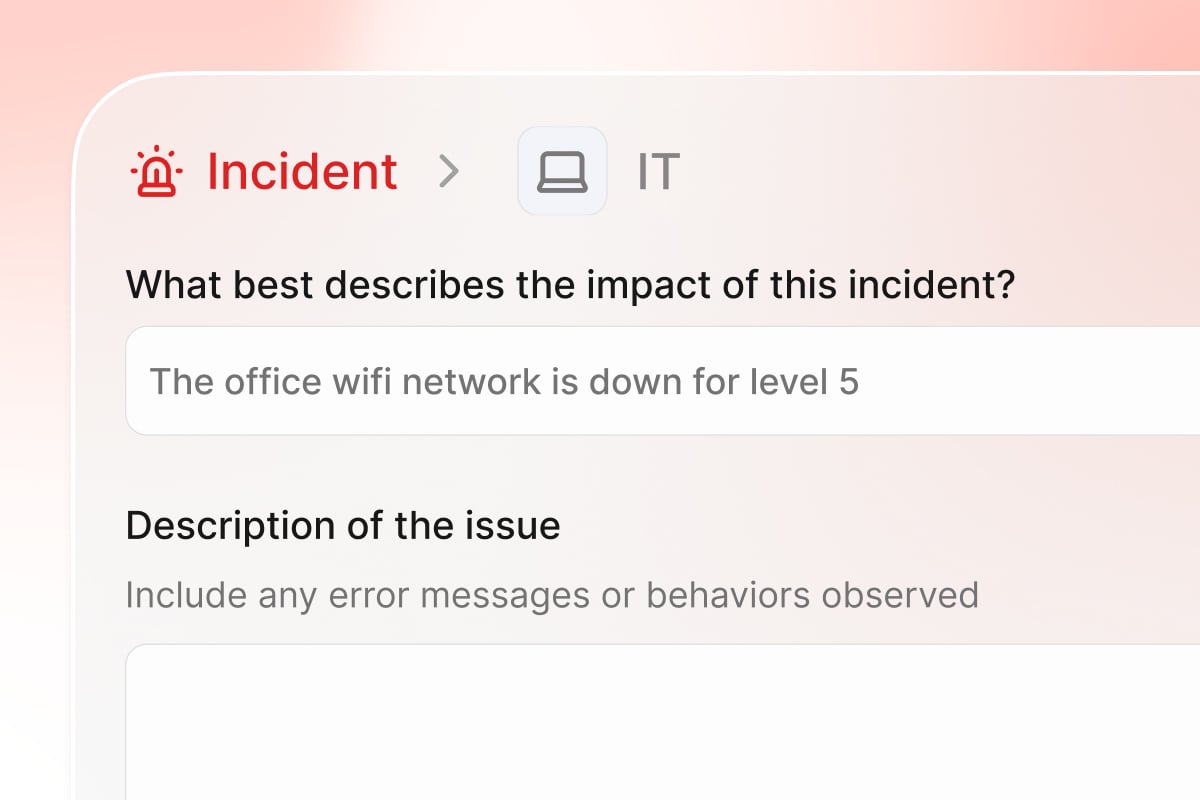
Incidents: Manage an outage from a single ticket
Sync Okta Identity Governance access levels
Turn on Sync OIG requestable access as access levels in your Okta integration settings, and Ravenna brings the requestable access in your Okta Identity Governance catalog into the matching applications as access levels. People request that access in Ravenna, and once a request is approved, Ravenna files it in OIG, which runs its own approval and provisioning. Synced levels carry an External badge and an External access policy, and stay read-only in Ravenna.Lock or erase a Mac through Jamf
Agents can remotely lock a lost Mac or erase a stolen one with the new Jamf Lock Mac and Erase Mac tools. The agent confirms the Mac with the requester first, and sends any unlock PIN to them privately. Only workspace admins can erase someone else’s Mac, and you can require approval before an erase runs.Quality of life updates:Tickets
- Each ticket in the inbox view is a two-line card with its title, priority, number, assignee, age, and status, so titles no longer truncate. Change the priority, status, or assignee right from the card, and use the up and down arrow keys to move through the list.
- Filter tickets by Type in views and analytics, and use Type as an SLA condition.
- Bulk updates on large selections no longer time out. A selection is capped at 100 tickets, and the table tells you when you reach the limit.
- Edit a form’s name and description directly from the form header.
- Changes to a ticket’s form fields show up in the ticket timeline.
- Copilot can create a ticket as a subticket of another in one step.
- When Copilot lists tickets without a status or search term, it skips Done and Closed tickets, and it can sort results by created, updated, priority, or due date.
- A Foundry step’s outputs in the workflow builder are labeled with the action’s name instead of CodeResult, so you can tell one Foundry step’s results from another’s.
- Turn on Respond to bot users for an agent to reply to messages from other Slack apps, such as RSS feeds. Bot Users must also be on in workspace settings.
- Before an agent sends a tool call for approval, Ravenna checks that the call would succeed, so approvers only see requests that can run.
- A ticket opened by a scheduled or webhook agent rule describes the work in plain words: which agent runs it, how often, and the rule’s instructions. Why the run started, and any webhook payload, stay in a private note.
- The agent tool picker lists tools for integrations you have not connected yet, after the connected ones. Select Connect on one to open your integration settings.
- A Foundry OAuth integration has a Default Headers section, for APIs that expect a static header such as an
x-api-keynext to the bearer token. - Changing a connected integration’s base URL, auth type, default headers, or OAuth provider marks it Needs reconnection until a connection test passes. The integration keeps working in the meantime.
- Connecting a Foundry integration asks for account-specific values such as a subdomain, collects a single masked API key for APIs that use the key as the username, and lets you choose which workspaces can use it with Workspace Access.
- A Foundry OAuth integration belongs to the workspace that connects it. If the provider is already connected in another workspace, Foundry names that workspace instead of replacing its connection.
- Rename a Foundry function with its Edit action, and the browser’s back button steps up one level at a time instead of leaving Foundry.
- When you ask Foundry to change a function, it works from your latest test run and the current code.
- An application’s status shows how far along its setup is: Needs Setup until it has an access level, Configured once it has one, and Available once it is attached to a workspace so members can request it. Archived access levels no longer count toward its status.
- Access levels have Owners. The new Access Level Owner dynamic approver routes approval to them, and falls back to the application’s owners when none are set.
- An access level can have its own Post Provisioning Message, which replaces the application’s message for that level. Personalize either with tokens such as the requester’s first name, the access level, or a link to the ticket.
- Access levels open for editing in a sidebar on the Access Levels tab.
- The applications list stays beside an application’s detail page, sorted by name with each application’s status as a dot, so you can switch applications without going back.
- Entitlements lists Ravenna-managed and externally managed access together, and shows only active entitlements until you pick a status.
- Select a bar or point on a built-in analytics chart to open the matching tickets, with the page’s filters applied.
- Agents no longer reply in Slack threads they never joined, or to messages meant for other bots and people.
- Files attached to a private note stay out of the requester’s Slack DM thread, like the note itself.
- Agents and Copilot can see a ticket’s links, parent, subtickets, tasks, and approvals when they read it.
- Group lookups find every user group in organizations with more than 500 groups.
- Copilot no longer gets stuck after you leave a credentials setup card unanswered, and opening or refreshing a conversation no longer jumps to a different one.
- Copilot keeps a large automation plan in view across a long conversation instead of dropping it.
- Copilot in the portal can only reply to, or run an agent on, tickets you requested.
- An agent run that fails shows Something went wrong instead of staying stuck on Thinking….
- Images attached through a form or the Create ticket dialog show a preview on the ticket again instead of a bare filename, including on tickets created before the fix.
- Pressing the arrow keys quickly moves one ticket per press instead of dropping presses while the next ticket loads.
- Only the person who added a file, or a workspace admin, can delete a ticket attachment.
- Freshservice ticket descriptions keep their HTML formatting when they sync, instead of arriving as plain text and overwriting the original on the next update.
- Analytics drill-downs only list tickets in the chart’s time range, and the SLA Outcome chart’s In Progress and No SLA bars open only their own tickets.
- Analytics no longer errors on the Title, Description, Merged, and Agent Rule filters, or on message charts filtered by SLA breaching, AI outcome, or automation status.
- Workflow run analytics accept ticket filters, and charts grouped by a ticket field no longer error or over-count.