

CopilotMCPAgentsIntegrationsSlackTicketsFormsWorkflowsAnalyticsSLAsFoundryAccess requestsPlatform
Agent-led access troubleshooting

@Search Okta System Logs, and add the okta.logs.read scope to your Okta app to turn it on.Copilot fills in the details
Say what you want in plain language and Copilot works out the rest: which form fits, which fields to fill, which columns you meant.- File a ticket by describing it. Copilot picks the right form and fills the fields and attributes it can from what you said, then asks about anything missing. It shows you what it inferred, so you can correct it before the ticket is created.
- Move a ticket to another workspace. Its status, tags, category, and attributes come along.
- Build a form end to end. From Copilot or an MCP client, set the fields and their order, who can see it, tags, agents, task template, icon, and color, then publish when it looks right. Nothing is deleted unless you ask.
- Add a Table card to a dashboard. Ask for the tickets and columns you want on an analytics dashboard, from Copilot or an MCP client, and check the preview in chat first.
- Rebind a Slack emoji action. Ask which emoji triggers each Ravenna action, swap in a different one, or put it back to the default.
Quality of life updates:
- The SLA breaching in ticket filter takes any duration in minutes, hours, or days, rather than four preset choices. Copilot searches and saved views accept the same durations.
- Press ⌘ J (Ctrl J on Windows) to open or close the Copilot sidebar, and ⌘ O (Ctrl O) to start a new chat.
- A settings search that finds nothing now offers to ask Copilot, so “where do I turn on X” gets an answer instead of a blank page.
- Archived options on a custom field are cleared once no ticket uses them, so long-lived dropdowns stop collecting dead choices.
- The AI Outcome metric counts a rule-driven agent reply as participation, includes conversations that never became a ticket, and marks a ticket Escalated only when the agent’s answer was genuinely unusable.
- Copilot can set up a Foundry integration for an API that takes the key as a Basic auth username, like Stripe or Mailgun, and asks for just the one key.
- Foundry debug suggestions now apply the fix when you click them, instead of only describing it.
- Foundry actions are grouped under their own integration in the agent tools list and the
@mentionpicker. - Ravenna now uses one neutral palette, so the color scheme picker is gone from appearance settings. You keep the light, dark, and system theme choice.
- New people synced from your identity provider arrive as Member rather than Guest, so they can see the workspaces they belong to right away.
- Guests, non-members, and people without an organization membership can open their own tickets and switch workspaces again, in the app and in the portal.
- Ticket notifications come from the resolver’s verified email address again, instead of the default sender.
- Agent tool calls waiting on your approval now run once you approve them.
- A workflow paused on an approval finishes when the ticket is force approved, and passes who approved it to the steps that follow.
- Access policies match eligible and ineligible groups synced from an integration, not only groups created in Ravenna.
- Moving a ticket to another channel in the same workspace keeps its ticket number.
- Images keep their content type on upload, so your agent can read screenshots attached from Slack, email, and Copilot.
- Changing the aggregation on a percentage card in analytics no longer breaks the card.
- Copilot can write Foundry actions against an integration you have not published yet, so you can try one before it goes live.
- A Foundry integration that uses client credentials OAuth now has a Connect button, and tells you which credential is wrong.
- A form that points at a channel, task template, user group, tag, or agent in another workspace now names the reference it cannot find, and saving or duplicating a form updates the portal right away.
- A Slack triage channel shows the ticket card on the original message again, and ticket update DMs reach people who have never had one.
- The analytics change badge reads a falling response time as an improvement, so getting faster is no longer flagged red.
- The audit log records access against the organization where it was granted.
CopilotTicketsAgentsFoundryWorkflowsAnalyticsIntegrationsAccess requestsPlatform
Copilot’s toolbox keeps growing

- List, create, update, and reorder SLA policies, and answer SLA-aware questions about a ticket, like time remaining, breach risk, and which policy applies.
- Read and configure approval and assignment reminder policies per workspace.
- List, connect, and configure the Slack channels wired into a workspace.
- Create a saved ticket view from chat, with a live table preview attached to the reply and the sidebar refreshing to include it.
- Ask Copilot to check whether a ticket looks like a duplicate of another open ticket before you file or reply.
- Create analytics folders to group dashboards, and place a new dashboard directly inside one.
- Group and filter analytics queries by ticket custom fields and attributes, from both Copilot and MCP.
Right-click context menus across the app
Right-click a ticket row, workflow node, or sidebar item to reach the actions you would otherwise hunt for in a hover menu. Select more than one row and the menu offers the bulk actions instead.Assign people through your own ticket attributes
User select and User multi-select custom fields can now appear as ticket attributes. Name the attribute after the role you care about, like Reviewer or Hiring manager, and set the person or group from the ticket sidebar.Connect a Foundry integration without leaving Copilot
When Copilot proposes a Foundry action that needs credentials, you now enter them on a card in the conversation instead of leaving for the integrations page. Fields are masked as you type and go straight to encrypted storage, so a secret never passes through the model or into the chat history, and Copilot tests the credentials before running the action.Other updates:
- An agent can stay on a ticket after it escalates to a human, without waiting to be
@mentionedeach time. The toggle is off by default, and unavailable when threaded replies are set to Respond to all, so the agent will not talk over your team. - A workspace API key can be restricted to a list of allowed IP ranges, so a leaked key cannot be used from an unfamiliar network. Set the ranges when you create the key or edit them later from Settings → API keys.
Quality of life updates:
- Ask Copilot why a workflow run failed and it names the failing step and explains the cause, instead of stopping at the run’s overall status.
- Copilot reuses the rules, agents, and workflows you already have when it plans an automation, and warns you before editing a rule that other agents share.
- Copilot can filter a ticket search by custom field and attribute values, so “tickets where Tier is Gold” resolves in one turn.
- The entitlements table has a Time left column showing how much longer a user’s time-bound access lasts.
- The @mention picker groups tools by integration, so a long list is faster to search.
- Copilot shows a countdown while it waits on a workflow or Foundry action it launched, so a long turn no longer looks stalled. The docked sidebar also has a full-screen button that moves the conversation to the full-page view.
- The ticket deflection metric now counts unpublished closed tickets that AI resolved on its own, so the rate reflects tickets a human never saw.
- The Okta Create User workflow action takes an optional Secondary email, so provisioning can capture a personal address alongside the primary one.
- Guests can see portal-enabled workspaces in the customer portal workspace switcher again.
- Posting in a Microsoft Teams channel triggers the Ravenna Agent again, instead of the message being dropped.
- A ticket attribute value can be cleared after it has been set, a ticket with an older attribute value loads again, and changing an attribute now records an event on the ticket timeline.
- A multi-select custom field keeps its option labels through create and update instead of falling back to raw ids.
- Foundry actions stay runnable after you link native credentials to their integration.
- The Ravenna Agent can look up statuses and tags on a published ticket again, read the ticket checklist, and mark tasks complete. It also keeps nested lists in its replies instead of flattening them to one level.
- A knowledge base document’s images no longer stop loading a few hours after it is saved, and the Notion picker now offers databases embedded inside a page.
- Knowledge base folders and documents, and ticket custom fields, now check workspace membership consistently on every read and write.
- MCP tool calls reject a parameter that does not exist instead of ignoring it, so a bad argument fails loudly rather than returning a wrong answer.
- Ticket replication keeps replicated systems in sync for tickets created by automation, and no longer creates a ticket from an email bounce notification.
- A time-limited access request entitlement now expires from when it was provisioned rather than when it was requested, so you get the full window you approved.
- The ticket sidebar no longer shows an empty Form card on a ticket whose form has no visible fields, and Copilot asks for your timezone instead of assuming one.
TicketsAnalyticsCopilotWorkflowsFoundryIntegrationsMCPSLAs
A redesigned ticket page
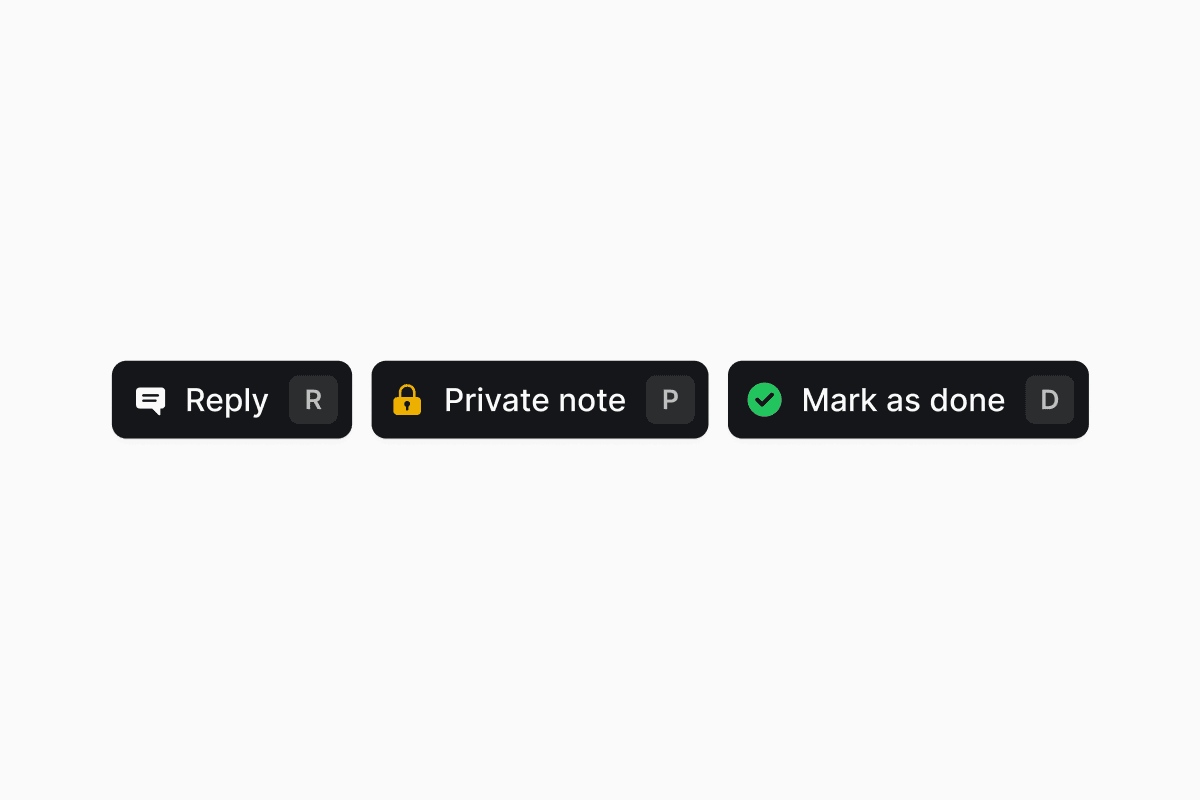
- Ticket actions, the default. Previous and Next, or ← and →, step through the tickets in the view you came from. Assign, Status, and Archive sit in the middle.
- The composer. Press R or click Reply to switch. Esc or Back returns you to the actions.
- Reply, R. Opens the composer for a public reply.
- Private note, P. Opens the composer already switched to private, so an internal note can’t reach the requester by mistake.
- Mark as done, D. Resolves the ticket, and becomes Undo mark as done once it is resolved.
- Drag a section’s handle between the two zones, or reorder within one.
- Your arrangement saves to your preferences and follows you across workspaces.
- Form fields and approvers start in the sidebar. Subtickets, tasks, and links start as tabs.
- Tabs carry a count badge, and a form’s tab is labeled with the form’s name.
- Keep composer open, in the composer’s menu, leaves the dock in whichever state you left it as you move between tickets.
- Snippets open in a floating list above the dock instead of covering what you are writing.
- Your sort direction and Hide logs choice persist across tickets, and posting a comment scrolls to your new message.
- The whole page works on a phone.
Report ticket durations from timestamps, not just the SLA clock
Custom analytics cards on the Tickets data source now expose two families of duration fields. SLA Time to First Response, SLA Time to Resolution, and SLA Time to Close keep reading the SLA target record and honor business schedules, pause statuses, and superseded targets. The new Time to First Response, Time to Resolution, and Time to Close fields measure wall-clock time from the ticket’s own timestamps, so you can benchmark performance across every ticket, including ones no SLA policy covers.Existing saved widgets keep pointing at the SLA-clock fields under their new SLA labels, so no numbers move.Peek any ticket from a list
Every row in a tickets table and every card in a Kanban now has a Peek button that opens the ticket in a side drawer, so you can read and act on a ticket without leaving the list you were browsing.Personalize your sidebar
Each user can now hide individual channels and views from their own sidebar without changing anyone else’s layout. Hidden items move into a collapsible section at the bottom and can be brought back at any time. You can also create a new saved view directly into a specific sidebar folder from the sidebar folder menu, instead of creating the view first and dragging it in afterwards.Copilot’s toolbox grows
Copilot can now drive more of your workspace from chat:- Create and update user groups.
- Create and update access levels and access policies.
- Read and manage workspace ticket statuses.
- List and reference business schedules, with a schedule attachment card on the reply.
- Publish and deactivate workflows it built for you.
- Search existing Foundry actions before scaffolding a new one, so it reuses what your organization has already built.
- Run a Foundry action it just built as part of the same conversation, so you can validate end-to-end without leaving Copilot.
Browse Copilot use cases from the empty state
The Copilot empty state now opens onto a categorized use-case browser instead of a short list of generated starter prompts. Pick a category like Workflows, Agents, Analytics, or Knowledge, then click a ready-made prompt to drop it into the composer and start iterating.Workflow tools available over MCP
Every Copilot workflow tool (create, edit, publish, deactivate, list, inspect, and step-level edits) is now available through the Ravenna MCP server, exposed via the same Copilot surface. The old tRPC-backed workflow MCP tools are retired so external MCP clients see a single, consistent workflow API.Streaming AI stays online through provider outages
The Ravenna Copilot and Ravenna Agent streaming loops now fail over between AI providers automatically. If a provider degrades mid-turn, the reply continues from a fallback provider instead of erroring out.Quality of life updates:
- Copilot replies now consistently call the customer-facing AI an Agent rather than “assistant”, “bot”, or “AI assistant”, including while it is still being proposed.
- The forms toolbar sort menu now includes Description and Status.
- The SLA policy settings page now anchors Save changes to the right, with the “Changes apply to new tickets only” note next to it, so the action lands where you expect it.
- A generated Foundry action’s inputs and outputs are now valid on the first pass, instead of needing a fix before the action will run.
- Category ticket counts now reflect the real number of tickets instead of always showing 0.
- A form with hidden fields no longer blocks submit, and form editors no longer block Save on fields the form never renders.
- Conditional fields parented on system fields (like Priority or Status) now resolve visibility everywhere they appear.
- Analytics time-series charts skip dates with no data instead of drawing a gap at zero, and stat cards no longer show 0 for a period with no records when the metric is undefined.
- Knowledge source chips in a Copilot reply no longer carry a leftover list ordinal (like
1.or2.1)) in their titles. - Filter dropdowns no longer lose the search field’s focus when your mouse moves over the option list.
- The Create ticket modal’s file dropzone now accepts drops reliably instead of intermittently rejecting them.
- A Copilot chat input card is now centered in the workflow empty state instead of anchoring to one edge.
- The Ravenna Okta Activate User step now succeeds when the user is already active, instead of erroring on the redundant activation.
- The Ravenna Google Groups integration can now look up a group by email address, not just by group id.
- A ticket’s work object now renders in Slack messages even when its metadata is large enough to hit Slack’s per-message byte limit.
- Tickets with custom fields no longer intermittently error when opened or updated.
- Confirmation dialogs now disable Confirm and Cancel while the underlying action is running, so a slow delete or update can’t be triggered twice by an impatient double-click.
TicketsTasksCopilotAgentsWorkflowsFoundryAnalyticsKnowledgeMCP
Task cancellation
You can now cancel a task on a ticket without deleting it. Cancelled tasks stay visible in the checklist, freeze their description, assignees, and completion checkbox, and can be restored at any time. The Tasks header shows a cancelled counter alongside the completion counter (for example,2/5 · 1 cancelled).A new workspace Close ticket task policy decides what happens to open tasks when a ticket moves to Done or Closed. Leave the default to keep tasks open, or switch to Cancel remaining tasks so Ravenna prompts agents to cancel the rest of the checklist on close.Business-hours aware inactivity auto-close
The inactivity auto-close policy has a new Business hours selector. Point it at a business schedule and Ravenna only counts that schedule’s working hours toward the inactivity threshold, so tickets are not warned or closed over nights, weekends, or holidays. Leave it unset to keep the current wall-clock behavior.Drag and drop files into Copilot chat
You can now drop files straight into the Copilot chat input to attach them to your next message. The dropzone lights up as you drag over the composer, and attached files show up as chips you can remove before sending.Copilot can act on tags, approval templates, and any settings page
Copilot now has first-class tools for ticket tags (search, create, update) and approval templates, so you can ask it to tag tickets or line up approvers without leaving the chat.Itsui_control skill also reaches every settings page now, so a request like “open my email domain settings” jumps straight to the right screen.Quality of life updates:
- Copilot ticket tools understand ticket type, so you can read, set, and filter tickets by type (Service, Incident, Question, and so on) directly from chat.
- Copilot now knows the current time of day, not just the date, and gracefully falls back when a user’s timezone can’t be resolved, so date-sensitive answers stay accurate.
- Count-card widgets in a Copilot reply now stretch to the full width of the message for easier scanning.
- The Ravenna Slack app and other LLM-facing surfaces now consistently say “channel” instead of the old “queue” wording.
- Every operator in the analytics filter picker now reads as is, is not, is between, and so on. The old has / does not have wording for multi-value fields is gone, so two ANDed conditions on the same field read consistently.
- Ravenna Copilot no longer carries a leftover draft into a new chat; the composer clears when you start a fresh conversation.
- On a Forms page, Copilot’s starter suggestions now reflect the forms and folders actually on that page, so proposals are relevant to what you are looking at.
- When Ravenna Copilot builds a workflow, it now names the parts of your request it can’t build (for example, a piece that belongs in a different setting) in the same message it delivers the plan, instead of surprising you later.
- Foundry code generation now uses Context7 OpenAPI specs directly as the source of truth, so scaffolded integrations line up with the real API contracts.
- The Foundry Context7 picker has a Find more matches action for broader searches and a manual library ID input for cases where search comes up empty.
- Grouped bar charts rendered by Copilot now show their group names on the axis instead of leaving them blank.
- Ravenna Copilot can now restyle an analytics widget (for example, switching a bar chart to a stacked bar) without redoing the underlying query.
- Ravenna Copilot streams now stay open through long silent turns; a slow tool call no longer causes a proxy to sever the reply mid-generation.
- When Ravenna Copilot creates an agent rule, the rule link opens the new rule and the rule appears immediately in both the workspace rules list and the owning agent’s rules list.
- URLs in a Ravenna Agent reply render as clickable links again instead of plain text.
- Sort options on the Agents table now match the sortable columns, so every visible sort works.
- The sidebar unread count on a saved view now respects that view’s own filters per user, so shared views no longer bleed each other’s unread counts.
- SLA outcome filters and featured values in analytics now match against the ticket’s stored state, so filters return the tickets you expect.
- Access eligibility for a form is now evaluated against the requester, not the row author, so requests submitted on someone else’s behalf can still reach the right form.
- The Notion knowledge base picker now offers pages whose parent is a Notion block (not just page-parented pages), so the full tree is available to add as a source.
- The Foundry Context7 picker is now gated on the integration version state rather than its last run state, so the picker appears in the right places again.
- The Ravenna MCP server now declares proper JSON Schema types for
customFieldsandattributeFieldson ticket create and update tools, so strict MCP clients no longer reject the input. - Every Ravenna MCP tool now advertises its real display title, so tools list cleanly in MCP clients.
- The Jira ticket replication link is now written reliably on ticket create, even when the post-create hook takes an unusual path.
AnalyticsCopilotWorkflowsAgents
AI Outcome skips tickets without agent participation
The AI Outcome metric now returns Not Computed for tickets the AI agent never worked on, instead of classifying them as Escalated. Because those tickets no longer receive an outcome at all, the Resolved, Assisted, and Escalated rates on the prepackaged Agents dashboard describe only the tickets the agent actually participated in.Bot-submitted tickets are also skipped, keeping automated noise out of your agent performance numbers.The fourth outcome value is now labeled Unactionable, replacing Not Applicable.Quality of life updates:
- The ticket filters card in a Copilot reply has tighter padding, a compact “N applied” summary, and an Open ⌝ affordance so filter results are easier to scan.
- A workflow run now shows the ticket that triggered it in the run header, even when the trigger step iterated multiple times.
- Picking a form through the drilldown in a workflow builder input now stores the form’s ID, so downstream steps and validation keep working instead of failing on a malformed reference.
- Ravenna resources named in a Copilot reply render as clickable attachment cards again instead of plain text.
- Agent rules referenced by a Copilot reply also render as clickable cards instead of plain text.
- An agent rule that tags a Slack user in its instructions now keeps the
@mentionintact when the agent replies in Slack. - The Rapid create workspace preference in My settings can now be cleared back to no default.
- Copilot no longer surfaces raw database resource IDs when it talks about agent rules or related resources.
- Copilot’s agent-rule editor no longer suggests a “should-not-trigger” examples field. Narrow matching by tightening the rule’s trigger or instruction instead.
- The Ravenna Slack app auth handshake no longer fails on a specific edge case that blocked installs.
WorkflowsRemindersTicketsEmailFoundryAnalytics
Private reminder DMs
Approval and assignment reminders no longer post a public @mention on the ticket. Ravenna sends a private Slack DM (with an email fallback) to just the pending approvers or the current assignee, and honors each recipient’s notification preferences before sending.Approval reminders DM every approver still pending on the active round. Assignment reminders DM the current assignee. Everyone else on the ticket is left out of the nudge.Send Email workflows can use a custom sender address
The Send Email action now has Sender Name and Sender Address fields. Set a display name and pick a local part on your verified email domain (for example,it-help on support@your-company.com) so workflow emails go out branded to the team that owns them.Without a verified domain the action falls back to the standard workspace sender, so existing workflows keep working unchanged.Quality of life updates:
- Inbound email allow lists and block lists on a queue now use a tokenized input instead of a comma-separated text field, so each address or domain gets its own chip and validation as you type.
- Blocked senders are now rejected before Ravenna processes the message, and the queue sends a bounce back if Send bounced emails is on for the queue.
- Outbound Email Settings on a queue has a new Mask internal agent emails switch. Keep agents’ personal addresses off customer-facing replies so only the requester and external participants are copied.
- The Send Email workflow action can now target a group (the group’s members are expanded to individual recipients at send time), alongside the existing user picker.
- When a customer emails your workspace via a distribution list (Google Groups,
list-postheaders), Ravenna keeps the group address on the reply’s CC so the whole list stays in the loop. - Form fields and approvers on a ticket now default to the ticket sidebar instead of tabs. Move them back to a tab from the ticket view if you prefer the tabbed layout.
- The Application filter in workflow conditions is a dropdown of your connected applications instead of a free-text field, so the value can’t drift from a real application ID.
- Foundry generation and publish failures now surface the actual reason (draft integration, hardcoded identity, missing scope) with an actionable message instead of a generic error toast.
- Foundry actions can now be code-generated against
ticket.list,ticket.byId, andticket.createendpoints, so Copilot can scaffold ticket-shaped automations without hand-wiring the request.
- A workflow with a Category Assigned trigger now fires when Ravenna’s AI classifies an incoming ticket, not only when a human sets the category.
- An analytics filter that ANDs two values of the same multi-value field (for example, tag = A and tag = B) now returns tickets that have both, instead of zero.
- Foundry bridged junctions declared on a native integration stay detachable, and bridge generation works on native-only integration slugs again.
- A workflow condition step no longer fails open when the condition list is empty; empty conditions evaluate to false, and broken variable references now surface as named errors instead of silent passes.
- A long Copilot Foundry tool call no longer severs the assistant turn mid-stream; the reply keeps streaming through slow generations.
- The ticket create button in the ticket header lines up with the rest of the toolbar again, and its keyboard shortcut tooltip renders the right glyphs.
- The Ravenna MCP endpoint tolerates an empty JSON body on
DELETEsession termination requests, so MCP clients that end a session with no payload get a clean 200 back.
AnalyticsFoundryCopilotMCPWorkflowsTicketsTasksPortal
See what your AI agent actually resolved
Ticket attributes get their own tab
In the ticket drawer, attributes now have their own Attributes tab alongside Conversation, Tasks, and Approvals, instead of sitting inline underneath the conversation. Edit attribute values from the tab, and promote another eligible field with Add Attribute without a trip to settings.The full ticket view keeps its sidebar Attributes section, which you can move to a tab if you prefer.Attributes and the tabbed ticket view are both rolling out gradually. Reach out on Slack or in-app chat if you’d like them turned on for your workspace.Portal chat answers questions about your own tickets
Portal chat can now send a requester’s questions about their own data to Ravenna AI instead of creating a ticket. “Show me my tickets from this week”, “do I have any approvals waiting on me”, or “chart my tickets by status” get answered in the chat. Real support requests still route to the workspace’s agent and open a ticket as before.Answers are scoped to the signed-in requester, so questions about someone else’s tickets or approvals are denied. Follow-up turns stay in the same conversation, and each turn rechecks the setting.Ravenna AI in Portal is off by default. Turn it on in Organization Settings > Portal.Quality of life updates:
- Copilot’s create_ticket over MCP now returns an openable ticket link, so an MCP client can jump straight to the new ticket instead of quoting an ID.
- Saved credentials on a Foundry integration render as a star mask with a Saved. Enter a new token to replace it. helper, so you can tell at a glance which fields are already stored.
- A Foundry OAuth failure now shows the provider’s actual error (
invalid_client,invalid_grant,invalid_scope,unauthorized_client,unsupported_grant_type,temporarily_unavailable) instead of a generic missing code message. - A disabled Foundry OAuth provider that still has active connections stays on the Integrations page as Archived, so you can disconnect it without it reappearing in the connect flow.
- A Foundry action’s configure panel now lets you pick an integration inline, create one from an unmaterialized provider, or open its settings without leaving the action.
- Copilot’s knowledge base sources collapse into a single Sources popover in the chat, so long answers no longer push the reply off screen.
- Copilot can now list and update applications over its tools, so you can ask it to find or edit an application without leaving the chat.
- Paste a multi-line list into a task row and each line becomes its own item. Ravenna strips common list markers (
-,*,1.,- [ ],•) as it splits, so you can paste straight from a doc. - A Remove Template action in the Tasks section header deletes every task that came from an applied template, including subtasks, and keeps the ones you added by hand.
- Guests can no longer bypass form intake by opening the ticket composer from the tickets table; the header only offers it to workspace members and admins.
- Duplicating a workflow with an AI Prompt trigger now mints a fresh webhook URL for the copy, so the two workflows no longer share a direct URL.
- A metric widget’s actions menu stays open while you move to click one of its items instead of disappearing on hover-out.
- Icon-only combobox triggers across the app keep their width while loading, so buttons no longer jump as options resolve.
- A workflow with a webhook trigger no longer fires when the workflow is paused; only active workflows run on webhook events.
- Copilot’s stop button now halts an in-flight reply on the server, instead of stopping the stream on your side while generation continued.
- A Foundry connect deep-link opens straight into the configure sheet again, rather than dropping you on the Integrations list.
- Copilot chat header buttons expose proper labels to screen readers.
- Copilot ticket-filter suggestions apply as complete filters, and pausing a long-running Copilot tool no longer wedges the session.
- Copilot’s agent-select dropdown caps its height and scrolls internally, so a workspace with many agents no longer stretches the picker off screen.
- Rich text formatting from Copilot’s composer bubble menu survives once the message is sent.
- Copilot’s scroll-to-bottom button only appears when you have actually scrolled up, so it no longer overlaps the suggested-reply chips.
ApprovalsFoundryCopilotAnalyticsTicketsTasksAccess requests
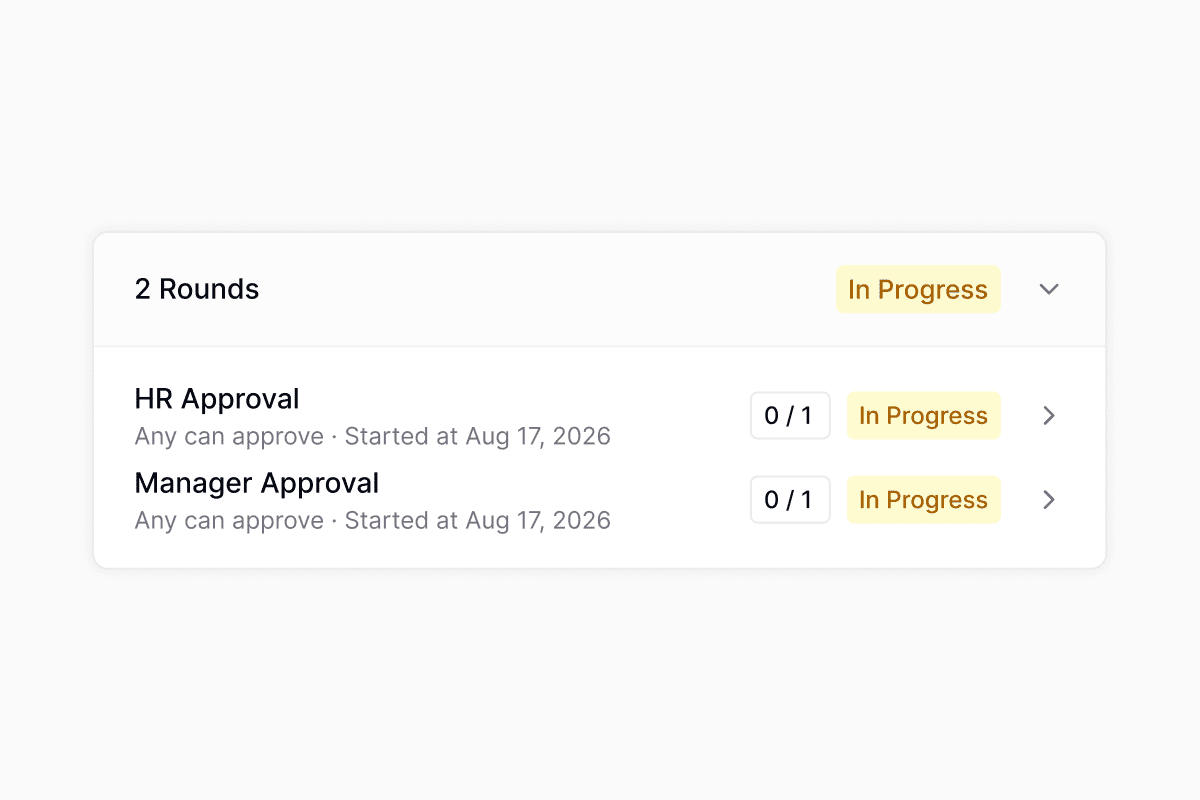
Run approval rounds in parallel
More native bridges in Foundry
Foundry actions can now reuse the credentials from thirteen more connected integrations without configuring a separate Foundry integration: HubSpot, Incident.io, Vanta, Freshservice, JumpCloud, Intune, Iru, Rippling, Jira, Linear, GitHub, PagerDuty, and Fleet. Select any of them as the action’s connection and Foundry supplies the token at run time.Quality of life updates:
- A pending approver now sees the Approve and Decline buttons docked in the ticket composer, so you can decide without scrolling to the approval card. See approvals.
- Access policies can now require the requester’s manager’s manager as an approver, in addition to the direct manager.
- Copy a task template into another workspace from the task template settings, choosing the destination workspace, folder, and a new name and description.
- Custom ticket attributes can now be edited from the create ticket modal, the edit modal, and the ticket drawer, and a plus button on the ticket sidebar promotes an eligible custom field to a workspace attribute without a settings round-trip.
- The Copilot form builder preserves dedicated field types (like Application Select or User Select), conditional-field parents, and per-field flags when it duplicates a form, so a form asked for “like this one” comes out matching the source.
- Copilot resolves partial dates like “Aug 12” against today’s year instead of asking which year you meant. See Copilot.
- Copilot answers generic automation questions (“what can I automate?”) directly instead of interrogating you for specifics before it responds. See Copilot.
- Copilot suggested-reply chips scroll sideways in a single row now, instead of wrapping onto multiple lines and pushing the composer down.
- Automation settings (reminder policies, ticket inactivity, reopen policies) save with debounced writes and confirm each save with a toast, so you can adjust a value and know it stuck. See reminders.
- Analytics single-value and grouped-value widget cards were redesigned with a cleaner header, badge-based deltas, and consistent chrome across the dashboard and Copilot.
- Copilot task tools are now available over MCP, replacing the older duplicate task endpoints.
- Agent replies no longer render literal backticks around inline code. See Copilot.
- The AI Outcome dashboard no longer shows mismatched populations between rate cards and their underlying counts.
- The Hide empty values toggle now defines the denominator for percentage metrics, so hidden buckets are excluded from the total instead of quietly diluting the rate.
- Business schedule hours and card-select conditional fields save correctly again on first submit.
PortalRavenna AICopilotWorkflowsApprovalsSlackIntegrations
Ask Ravenna AI in the Portal
Turn on Ravenna AI in Portal from Portal settings and anyone visiting the Portal can ask about their own tickets and approvals, instead of filing a ticket to find out where something stands. Each person only ever sees their own requests, so this exposes nothing new.Quality of life updates:
- The model picker is gone from the Copilot chat header. It no longer changed anything, since Copilot chooses the model for you.
- A long workflow title no longer runs underneath the + button you use to insert a variable.
- You can change how an integration signs in, for example from an API key to OAuth, and save it without having to disconnect and set it up again.
- When you send Ravenna a file in a Slack DM, it now lands on your ticket and the AI agent waits to see it before replying.
- You can remove the last round from an approval process that does not require one, instead of being stuck with a round you no longer want.
AgentsApprovalsCopilotTasksFoundryAnalyticsTicketsKnowledgeFormsSlackWorkflowsGoogle Drive
Approve and decline requests in chat
Approvers can now respond to a request from wherever the conversation is happening. Two new Ravenna tools, Approve Request and Decline Request, let an agent record an approver’s decision when they reply “approved” or “denied, the budget is too high” instead of asking them to open the ticket. A decline carries the reason through to the requester.Both tools only ever act as the person talking, so a requester or a bystander in the thread cannot approve on someone else’s behalf. After recording a decision the agent knows whether the round finished, whether the whole request is approved, and how many approvers are still outstanding, so it can answer “what happens next” in the same reply.Copilot works your ticket checklists
Copilot can now read and edit a ticket’s task checklist. Ask what’s left, mark several items done in one request, rename or reassign a task, nest it under a header, or apply a task template by name. Copilot reads a template’s items before applying it, so you can check you picked the right one.Copilot also reports a ticket’s approval state now, including each round, who has approved or declined, the reason they gave, and who is still pending. Ask “who still needs to approve IT-4892” and you get the answer without opening the ticket.Roll back a Foundry function to a prior publish
Foundry now keeps a version history for every function. Each code change snapshots a checkpoint in the Chat tab, and each publish records a deployable version, so there are two ways back.Restore on a checkpoint marker rewinds the draft’s code, schemas, settings, and integration bindings, plus the conversation, to that moment. Your current state is saved first, so a restore is itself reversible. Click the published v3 badge in the function workspace header to open Publish history and roll the live version back instead: rolling back fromv5 to v3 re-publishes immediately as v6, annotated ↳ rolled back to v3, and keeps your chat where it is.Quality of life updates:
- Agent Outcome is now AI Outcome everywhere: the tickets table, views and filters, and analytics.
- AI Outcome gained an Assisted value for tickets where the agent did substantive work but a human finished the ticket, alongside Resolved, Escalated, and Not Applicable. Tickets the classifier has not reached yet read Not Computed.
- Clicking a segment of an AI Outcome chart opens the tickets behind it.
- The Percent of aggregation is now a single share-of-total mode driven by Group by. Group by SLA > Outcome, AI Outcome, or Resolution Path for those rates, and every ticket is counted rather than excluded when it has no value. Cards built before the change keep their current numbers, so only new cards use the new mode.
- A new Date & Time custom field type captures both halves in one field. In Slack it renders as Slack’s combined picker and is read in the submitter’s timezone, and the value is stored as wall-clock time so 9:00 AM stays 9:00 AM for everyone.
- Form pickers across Ravenna only offer published forms. A draft or archived form that was already attached to a Ravenna channel, an agent, or a Slack channel stays visible so you can remove it, labeled with why it is no longer selectable.
- A workspace’s default form is now an ordinary form. It is created Published so the workspace can take tickets immediately, and you can edit, archive, or delete it to replace the starter form with your own. See forms.
- The Slack ticket modal prefills the description with the message you started from, and the workspace picker only lists workspaces where you have a published form you can submit. The generic Others option is gone.
- The Google Drive knowledge picker has five tabs (All files, My Drive, Shared with me, Shared drives, Starred), so team-owned files in a shared drive are reachable.
- An unconfigured placeholder step in the workflow builder can take child steps and branch, so you can lay out a workflow’s shape before choosing its actions.
- The HTTP Request workflow action no longer sends a
Content-Typeheader on bodyless GET and DELETE calls, which strict servers were rejecting. - Foundry names function outputs that hold a Ravenna entity ID with Ravenna’s canonical field names, so callers can expand an ID into the full user, ticket, or application instead of getting a bare string.
- Agent rules authored through MCP render their form references as badges in the rule editor rather than raw
[form: ...]text. - Copilot suggested follow-ups are stored with the conversation, so they are still there when you reload a session or come back to it later.
- The integrations settings page has matching horizontal padding on desktop, in line with the rest of settings.
- Spam, delivery bounces, and monitoring alerts no longer count toward the AI resolution rate denominator, so rates on a noisy inbox reflect the tickets a person actually opened. Assisted and Not Applicable also render their labels in the tickets table instead of a blank cell.
- A dashboard widget’s View action now carries the widget’s filters into the ticket list it opens. See analytics.
- The SLA target filter no longer produces invalid SQL.
- A required field in a form layout section no longer blocks submits, and checkbox fields drive conditional logic correctly on the web and in Slack.
- The tickets table no longer crashes when a custom field’s stored value does not match its current type, and editing a custom field on a ticket refreshes the table without a reload.
- The Slack ticket mirror card is no longer silently dropped on tickets large enough to exceed Slack’s block limits.
- Workflow URLs with underscores are no longer corrupted by markdown escaping. The workflow runs table’s Ticket and Version columns are no longer sortable either, since neither maps to a real field and clicking to sort them used to error out.
- The Auth Test Endpoint field on a custom Foundry integration keeps what you type instead of being rewritten as you go.
- The audit log loads the next page of results instead of repeating the first.
- Out of office status reverts to your manual setting when a Slack sync fails, rather than leaving a stale status behind.
- Foundry OAuth integrations refresh their tokens just in time instead of returning 401s, show Reconnect for client-credentials connections, and no longer crash on secrets containing colons.
- Images sent to AI agents are passed to the model as S3 URIs, fixing attachment handling on large files.
- Guests no longer see the table view option in the sidebar, where it was never applicable.